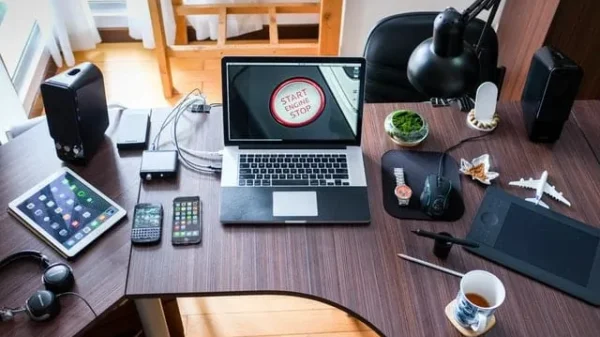


























In 2026, your desk isn’t just a place to park your laptop—it’s the “hybrid hub” where your professional life, group chats, and creative side-hustles all collide. Since we’re essentially living in front of our screens, the gear we choose has shifted from being a “nice-to-have” luxury to a total necessity. It’s no longer about just having a workspace that looks cool on camera; it’s about making sure you aren’t feeling physically wrecked by 5:00 PM.
This year, the best desk gear is all about subtlety. We’re seeing lamps that adjust their warmth as the sun goes down and stands that help you stop slouching without you even noticing. These aren’t “productivity hacks” that promise to change your life overnight; they’re small, thoughtful upgrades that fix the little things—like that nagging neck pain or the eye strain from a dark room. Whether you’re working from a makeshift corner in your kitchen or a high-end office, the 18 picks below are the ones we’ve found to actually make a difference in how your body feels after a long day.
DESK LAMPS
1. BenQ Screen Bar Halo
Brand: BenQ
Official Website: https://www.benq.com/screenbar-halo
Price Range: ~$179–$199
Description:
The ScreenBar Halo mounts directly onto the top of a monitor, eliminating desk clutter while delivering balanced, glare-free lighting. It’s particularly effective for users who work long hours in front of screens, where eye strain becomes a subtle but constant problem. In everyday use, it fades into the background — which is exactly the point.
Key Features:
- Asymmetric, glare-free lighting
- Automatic brightness adjustment
- Wireless control dial
- Backlight to reduce screen contrast
- No desk footprint
Why It Made the List:
It solves a real problem — eye fatigue — without adding visual noise or taking up space.
2. Dyson Light cycle Morph
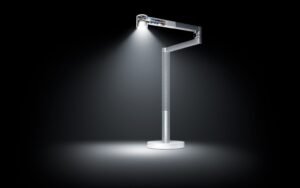
Brand: Dyson
Official Website: https://www.dyson.com/lightcycle
Price Range: ~$649–$699
Description:
Dyson’s Light cycle Morph is less a desk lamp and more a precision lighting tool. Designed for people who spend entire days at a desk, it adjusts color temperature throughout the day to align with natural light cycles. The result feels subtle, but over time it noticeably reduces eye fatigue.
Key Features:
- Tracks local daylight cycles
- Adjustable color temperature
- Magnetic light head with multiple modes
- High color-accuracy lighting
- Long-life LED design
Why It Made the List:
Few desk lamps are designed with long-term biological comfort in mind — this one is.
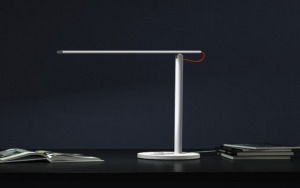
3. Xiaomi Mi LED Desk Lamp 1S
Brand: Xiaomi
Official Website: https://www.mi.com
Price Range: ~$59–$79
Description:
Simple, compact, and surprisingly capable, Xiaomi’s desk lamp is ideal for smaller desks or shared spaces. It provides even illumination without unnecessary features and blends easily into minimalist setups.
Key Features:
- Flicker-free LED lighting
- Adjustable brightness and temperature
- High color accuracy
- App and voice control support
- Minimalist design
Why It Made the List:
It delivers quality lighting at an accessible price without cutting corners on comfort.
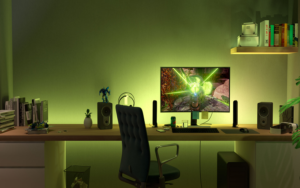
4. Philips Hue Play Light Bar (Desk Setup)
Brand: Philips
Official Website: https://www.philips-hue.com
Price Range: ~$129–$149 (2-pack)
Description:
While often used for ambient lighting, Hue Play bars work surprisingly well on desks, especially for creative professionals. Positioned behind monitors, they reduce harsh contrast and create a more relaxed visual environment.
Key Features:
- App-controlled color and brightness
- Syncs with screens and music
- Compact, modular design
- Works with Hue ecosystem
- Smart scheduling
Why It Made the List:
They enhance visual comfort indirectly — by improving the environment around the screen.
STANDS & MONITOR ARMS
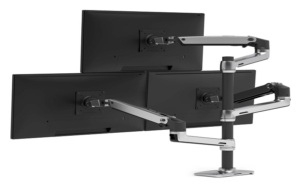
5. Ergotron LX Monitor Arm
Brand: Ergotron
Official Website: https://www.ergotron.com
Price Range: ~$189–$219
Description:
The Ergotron LX is a workhorse. It allows precise positioning of monitors at eye level, reducing neck and shoulder strain during long workdays. Once adjusted, it holds its position reliably.
Key Features:
- Full height and tilt adjustment
- Durable metal construction
- Supports a wide range of monitors
- Smooth movement
- Clean cable management
Why It Made the List:
It delivers measurable ergonomic benefits with professional-grade durability.
6. Rain Design mStand (Laptop Stand)
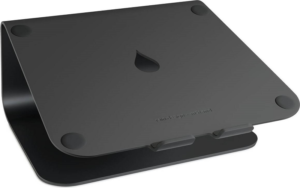
Brand: Rain Design
Official Website: https://www.raindesigninc.com
Price Range: ~$49–$59
Description:
Built from a single piece of aluminum, the mStand raises laptops to a more natural viewing height. It’s best paired with an external keyboard and mouse, making it ideal for desk-based laptop users.
Key Features:
- Solid aluminum construction
- Raises screen to eye level
- Integrated cable routing
- Stable, vibration-free base
- Clean industrial design
Why It Made the List:
It’s a simple solution that encourages healthier posture without complexity.
7. Twelve South Curve Flex
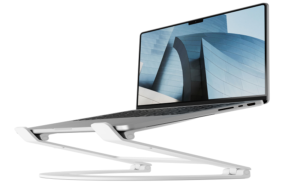
Brand: Twelve South
Official Website: https://www.twelvesouth.com
Price Range: ~$79–$89
Description:
Unlike fixed stands, the Curve Flex allows fine-tuned height and angle adjustments. It’s particularly useful for people who frequently switch between sitting and standing desks.
Key Features:
- Adjustable height and angle
- Foldable for portability
- Premium metal build
- Compatible with most laptops
- Encourages neutral posture
Why It Made the List:
It adapts to different work styles rather than forcing a single setup.
ERGONOMIC TECH ACCESSORIES
8. Logitech MX Master 3S (Mouse)
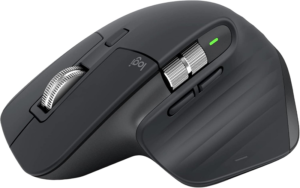
Brand: Logitech
Official Website: https://www.logitech.com
Price Range: ~$99–$119
Description:
The MX Master 3S is designed for long hours of use, with a sculpted shape that supports the hand naturally. Its silent clicks and precise scrolling are particularly appreciated in shared or quiet workspaces.
Key Features:
- Ergonomic contouring
- Ultra-quiet clicks
- High-precision sensor
- Customizable buttons
- Multi-device pairing
Why It Made the List:
It reduces hand fatigue without sacrificing control or precision.
9. Logitech Ergo K860 Keyboard
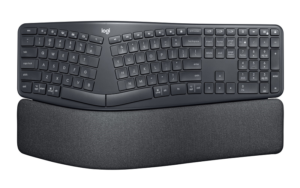
Brand: Logitech
Official Website: https://www.logitech.com
Price Range: ~$129–$149
Description:
This split keyboard promotes a more natural wrist position. It’s best for users who type extensively and want to minimize strain without switching to a fully mechanical layout.
Key Features:
- Split, curved layout
- Cushioned palm rest
- Adjustable tilt
- Wireless connectivity
- Familiar key spacing
Why It Made the List:
It offers ergonomic benefits without a steep learning curve.
10. Apple Magic Trackpad
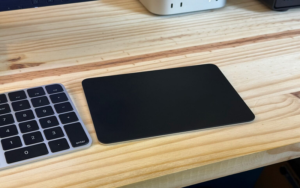
Brand: Apple
Official Website: https://www.apple.com
Price Range: ~$129
Description:
For macOS users, the Magic Trackpad offers fluid, gesture-based navigation that reduces repetitive mouse movements. It pairs naturally with Apple’s desktop ecosystem.
Key Features:
- Multi-touch gestures
- Rechargeable battery
- Smooth glass surface
- Seamless macOS integration
- Low-profile design
Why It Made the List:
It enables a different, often more relaxed way of interacting with a computer.
11. Humanscale Foot Rocker
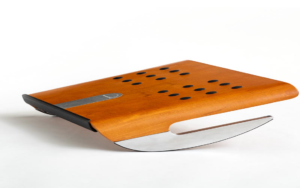
Brand: Humanscale
Official Website: https://www.humanscale.com
Price Range: ~$89–$99
Description:
Footrests are often overlooked, but this one encourages subtle movement rather than rigid posture. It’s especially helpful for seated workers who experience lower-back fatigue.
Key Features:
- Rocking motion promotes circulation
- Non-slip surface
- Compact footprint
- Durable construction
- No setup required
Why It Made the List:
It supports movement — not just posture — which matters over long hours.
12. Grove made Desk Shelf
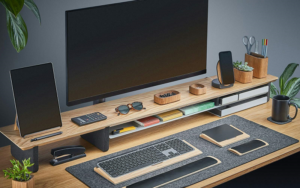
Brand: Grove made
Official Website: https://grovemade.com
Price Range: ~$220–$260
Description:
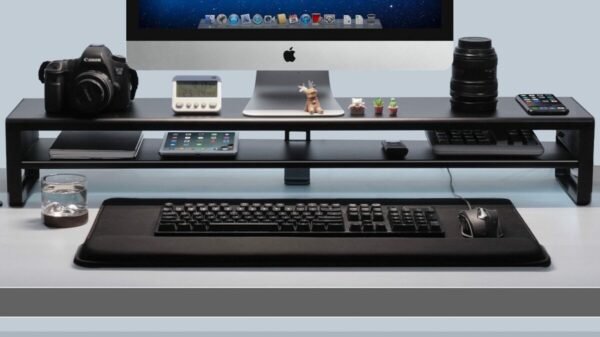
Part organizer, part stand, this desk shelf elevates monitors while providing space underneath for keyboards and notebooks. It’s popular among users who value both aesthetics and order.
Key Features:
- Solid wood and metal construction
- Raises monitors to eye level
- Integrated storage space
- Clean, minimal design
- Stable and durable
Why It Made the List:
It combines ergonomics with visual calm — two things desks often lack.
13. Moft Invisible Laptop Stand
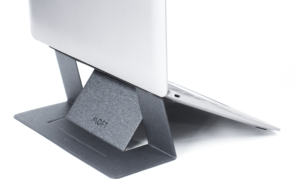
Brand: Moft
Official Website: https://www.moft.us
Price Range: ~$29–$39
Description:
This ultra-thin stand attaches directly to a laptop, offering a quick ergonomic boost for mobile users. It’s best for cafés, travel, and temporary workspaces.
Key Features:
- Ultra-slim design
- Multiple height angles
- Lightweight and portable
- Adhesive attachment
- Heat-resistant materials
Why It Made the List:
It improves posture without adding bulk.
14. Kensington Ergo Soft Wrist Rest
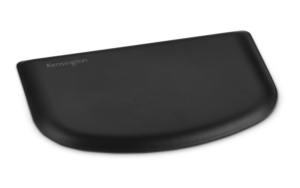
Brand: Kensington
Official Website: https://www.kensington.com
Price Range: ~$29–$39
Description:
Designed to support wrists during extended typing or mouse use, this wrist rest prioritizes comfort without feeling squishy or unstable.
Key Features:
- Gel cushioning
- Anti-slip base
- Easy-clean surface
- Slim profile
- Multiple size options
Why It Made the List:
It provides passive support that users often forget they’re using — a good thing.
15. Uplift Desk Standing Desk Balance Board
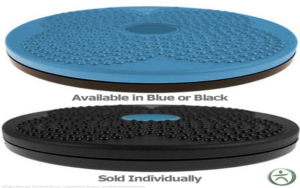
Brand: Uplift Desk
Official Website: https://www.upliftdesk.com
Price Range: ~$129–$159
Description:
Designed for standing desk users, this balance board encourages micro-movement, reducing stiffness during long standing sessions.
Key Features:
- Encourages subtle motion
- Non-slip surface
- Durable wooden build
- Angled edges
- Compact footprint
Why It Made the List:
It makes standing more sustainable, not just possible.
16. Blue Light Filtering Monitor Panel (Ocushield)
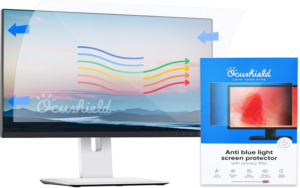
Brand: Ocushield
Official Website: https://www.ocushield.com
Price Range: ~$79–$99
Description:
Unlike software filters, this panel physically reduces blue light without altering screen color significantly. It’s useful for people sensitive to eye strain.
Key Features:
- Blue-light reduction
- No color distortion
- Easy installation
- Scratch-resistant surface
- Compatible with most monitors
Why It Made the List:
It addresses screen fatigue at the source rather than through software workarounds.
17. Anker Power Expand Desk Hub
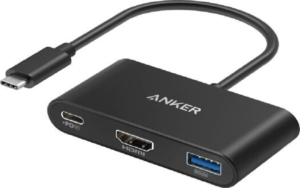
Brand: Anker
Official Website: https://www.anker.com
Price Range: ~$69–$89
Description:
Desk hubs simplify cable management by centralizing connections. This one offers reliable ports for daily use without cluttering the workspace.
Key Features:
- Multiple USB-C and USB-A ports
- HDMI output
- Compact form factor
- Durable build
- Plug-and-play setup
Why It Made the List:
It reduces desk chaos — something most workspaces struggle with.
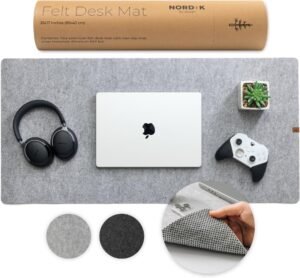
18. Felt Desk Mat (Orbitkey or Grovemade)
Brand: Orbitkey / Grovemade
Official Website: https://www.orbitkey.com
Price Range: ~$49–$79
Description:
Desk mats soften hard surfaces, reduce noise, and define workspace boundaries. In daily use, they add comfort without distraction.
Key Features:
- Soft felt surface
- Anti-slip backing
- Protects desk finishes
- Minimal aesthetic
- Easy maintenance
Why It Made the List:
Sometimes comfort comes from reducing friction — literal and visual.