






















SteelSeries’ new gaming mouse uses interchangeable batteries to eliminate the need for wired charging, while offering high-end performance and extensive customization. However, its steep price and lack of Bluetooth could limit its appeal.
SteelSeries is taking an unusual approach to wireless gaming mouse battery life with the Sensei Pro. Rather than relying on a USB cable when the battery runs low, the mouse uses two interchangeable battery packs, allowing one to power the mouse while the other recharges.
The system, called the Infinite Power System, could effectively eliminate charging interruptions for gamers willing to swap batteries regularly. But the mouse is expensive, and its power consumption rises sharply when its most demanding performance settings are enabled.
A lightweight design with extensive customization
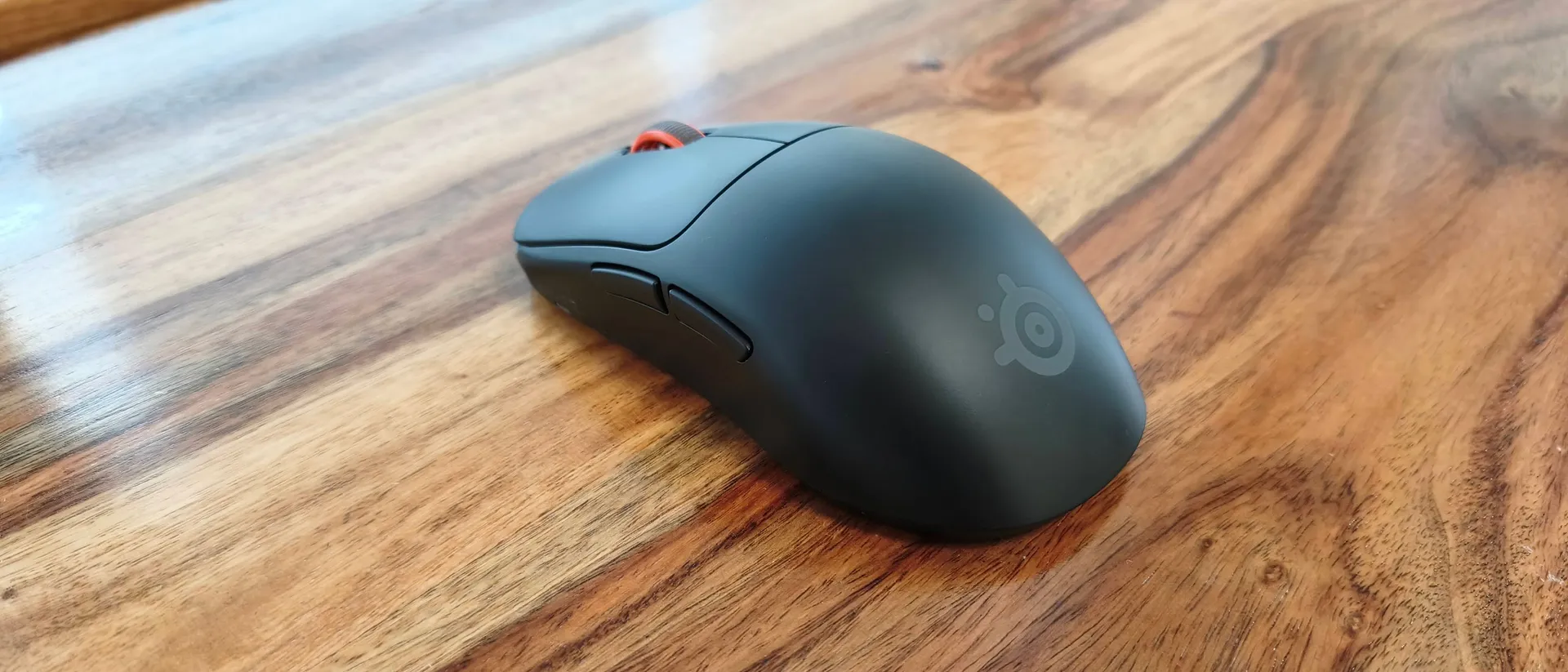
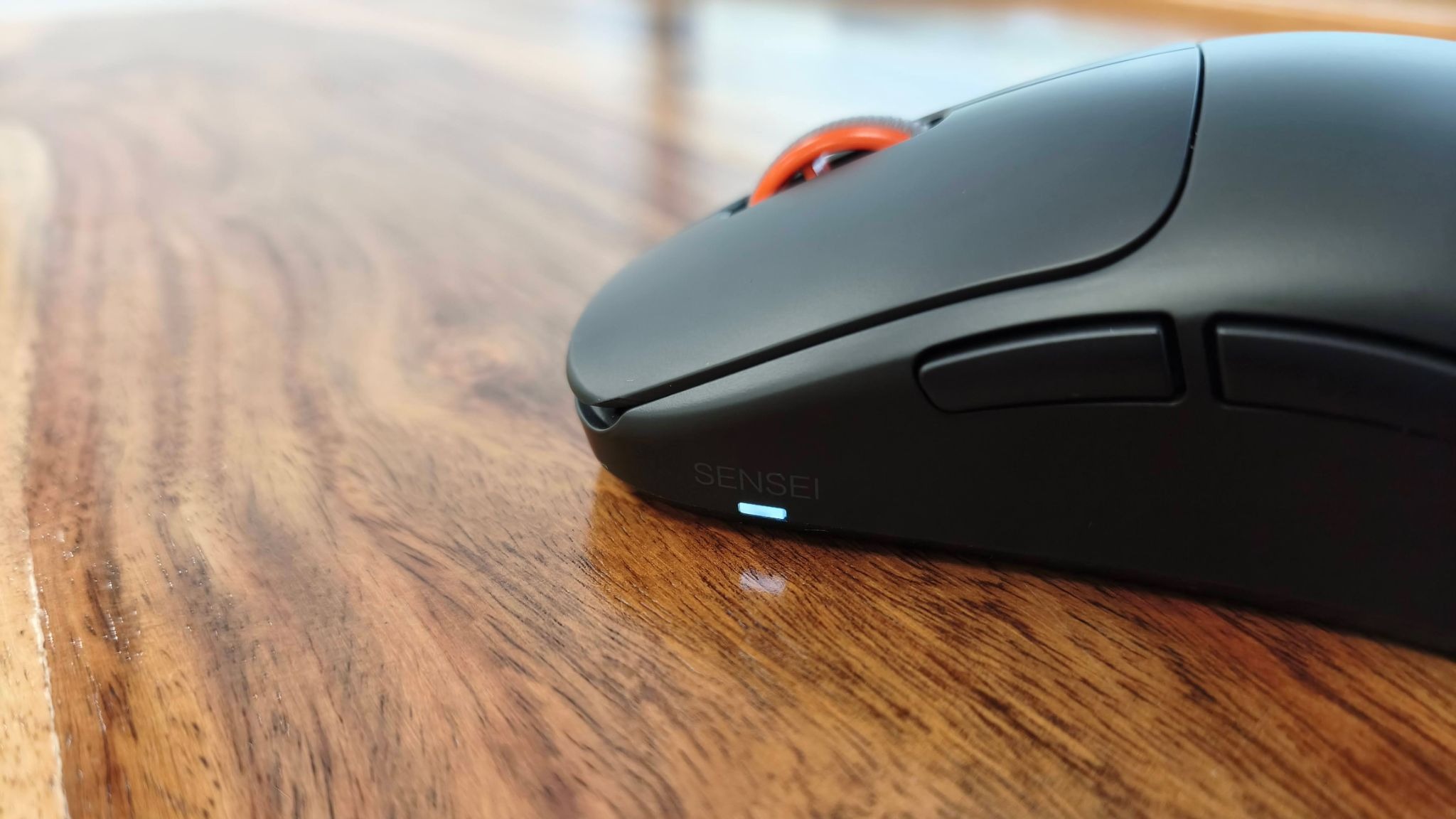
The SteelSeries Sensei Pro has a conventional symmetrical design, with a small logo and orange scroll wheel providing its only notable visual accents. There are no unusual contours or RGB lighting effects.
Although the standard model is relatively large and has a prominent central hump, it weighs just 53g. Its smooth finish makes it comfortable to use, while the solid construction gives it a premium feel. Users who prefer more grip can apply the included grip tape to the sidewalls, main buttons and rear buttons.
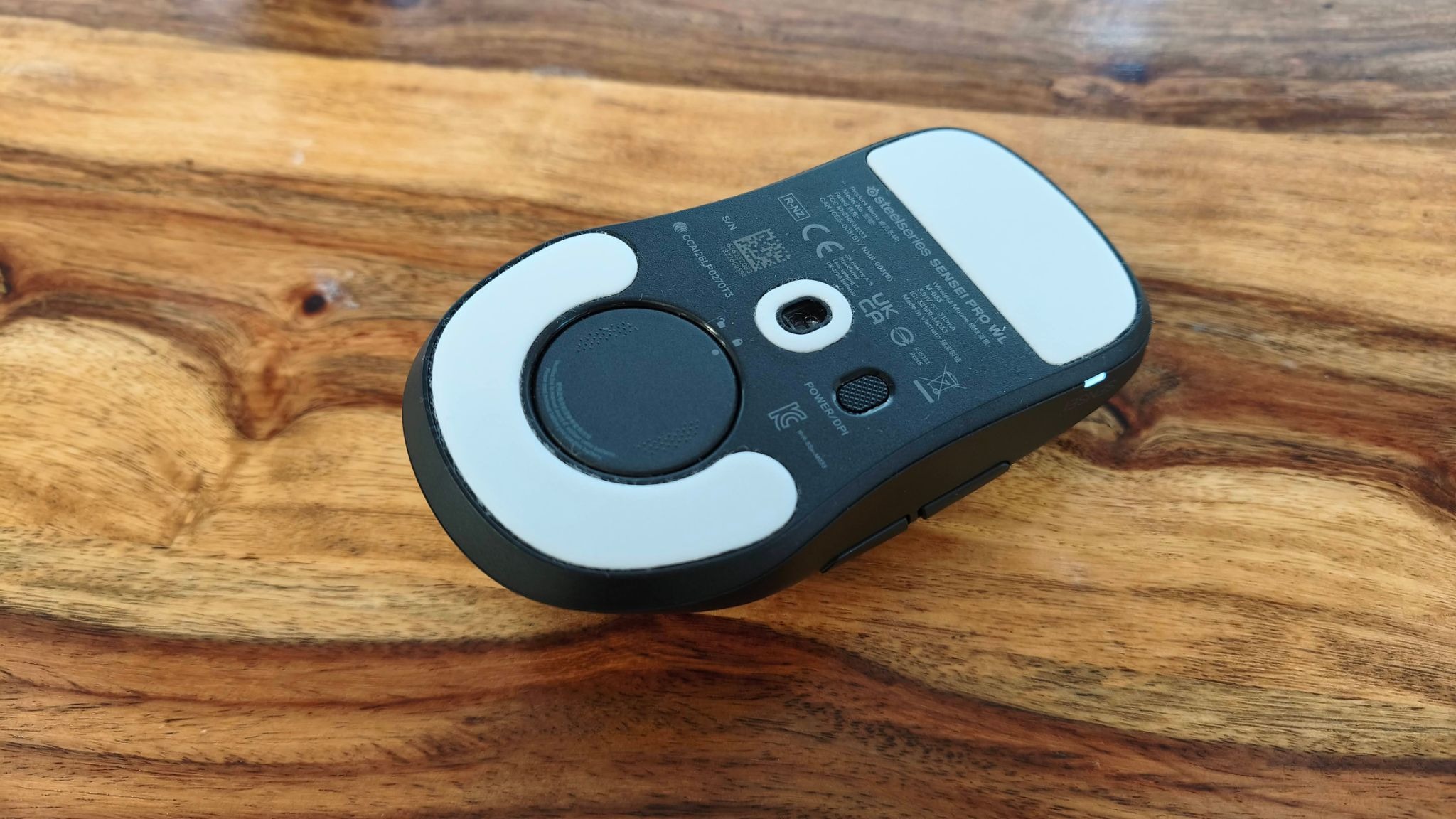
The buttons feel sturdy and responsive, although their relatively heavy clicks may not suit gamers who need to perform rapid, repeated inputs. The DPI button is another drawback: it sits underneath the mouse, making it inconvenient to reach during gameplay.
SteelSeries’ GG software provides extensive control over the mouse. Users can remap buttons, assign media and system shortcuts, and configure five DPI presets. Sensitivity ranges from 1,000 to 65,000 DPI with DPI Overdrive enabled, and the X and Y axes can be adjusted independently.
Additional settings include click-response adjustments from 0ms to 20ms, movement acceleration curves, sensor tilt adjustments of up to 45 degrees in either direction, and 10 levels of angle snapping. Users can also customize lift-off and landing distances, enable motion synchronization and adjust scroll-jump protection.
The software allows polling and sensor rates to be configured separately, with polling rates reaching 8,000Hz and an additional 9,000Hz overpolling option. Its detailed explanations make the many settings easier to understand, although opening some controls in separate windows can clutter the desktop.
Excellent performance, but maximum settings drain the battery
In use, the Sensei Pro delivers impressive gaming performance. Its large mouse feet allow it to glide smoothly, while the main buttons, side buttons and scroll-wheel click offer precise, tactile feedback.
The scroll wheel is particularly well balanced, supporting both controlled individual movements and rapid scrolling. The side buttons also stand out for their satisfying travel and crisp response.
However, the advantages of extremely high polling rates may be difficult for many players to notice. The reviewer found little discernible improvement above 1,000Hz and could not identify a clear benefit from the 9,000Hz overpolling mode.
There is a more obvious downside to maximizing performance: battery life can fall to roughly one day when the highest polling and sensor settings are enabled.
Reducing the polling rate to 1,000Hz brings battery life much closer to SteelSeries’ advertised maximum of 120 hours.
How the Infinite Power System works
The Sensei Pro’s standout feature is its interchangeable battery arrangement. Instead of charging the mouse through a cable, users alternate between two batteries: one installed in the mouse and another recharging on top of the included Ultra-wideband (UWB) station.
When the active battery runs low, it can be replaced with the charged one, allowing gameplay to continue without a charging break. The batteries are straightforward to remove and reinstall, using alignment markings and a twist-lock mechanism to secure them in place.
There is one important limitation: the Sensei Pro has no USB-C port, so conventional wired play-and-charge is not possible. The battery-swapping system is therefore central to how the mouse operates, rather than simply being an additional convenience.
For gamers who want to remain wireless at all times, the arrangement is appealing. As long as the spare battery is charged and ready, the mouse can keep running without needing to be plugged in.
(Image credit: Future)
Price and availability
The SteelSeries Sensei Pro costs $179.99 / £169.99, or approximately AU$260. Preorders are available, with the launch scheduled for October 13. Buyers can choose between full-size and Mini versions in black or white.
That price puts the Sensei Pro firmly in the premium gaming mouse category. While its battery system and extensive configuration options are unusual, some rivals offer additional features for a similar amount of money.
The Razer Naga V3 Pro, for example, includes Bluetooth connectivity and numerous programmable side buttons. It can also offer effectively uninterrupted wireless use when paired with Razer’s HyperFlux V2 Wireless Charging System, although the powered mouse mat adds another expense.
Another option is the AngryMiao AM Infinity.97, which also uses interchangeable batteries. It weighs just 47g, making it lighter than the Sensei Pro, although its distinctive appearance may not appeal to everyone and its software is relatively basic.
(Image credit: Future)
SteelSeries Sensei Pro specifications
| Feature | Specification |
|---|---|
| Connectivity | Ultra-wideband (UWB) |
| Battery life | Up to 120 hours at 1KHz; 32 hours at 8KHz |
| Sensor | TrueMove 42K Pro |
| Polling rate | Up to 8,000Hz, with 9,000Hz overpolling |
| Maximum sensitivity | 42,000 DPI; 65,000 with DPI Overdrive |
| Programmable buttons | 6 |
| Dimensions | 125.6 × 66.5 × 38.6mm |
| Weight | 53g |
Should you buy the SteelSeries Sensei Pro?
The Sensei Pro combines excellent build quality, smooth movement and impressive customization with a genuinely useful approach to battery management. Its biggest weakness is the price, particularly when some of its most advanced features may offer little practical benefit to everyday gamers.
Buy it if:
-
You want to avoid plugging in your mouse to recharge.
-
You value extensive sensor customization and high polling rates.
-
You want a lightweight mouse with smooth movement and tactile controls.
Avoid it if:
-
You want a more affordable wireless gaming mouse.
-
You need Bluetooth to switch easily between devices.
-
You prefer lighter clicks for rapid-fire gameplay.
-
You are unlikely to benefit from extremely high polling rates.
The Sensei Pro is an impressive performer, but its appeal depends on how much you value uninterrupted wireless use. The swappable batteries provide a clever solution to charging interruptions, yet the high price and lack of Bluetooth make it a less compelling choice for gamers who simply want a reliable, high-performance mouse.
Ultimately, SteelSeries has delivered an innovative battery system backed by excellent performance. Whether it justifies the premium price will depend on how much use buyers get from its specialized features.