




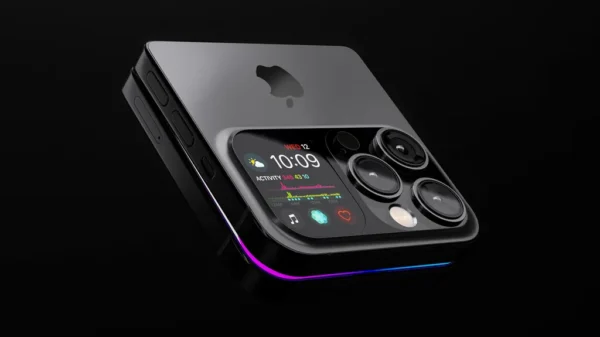
























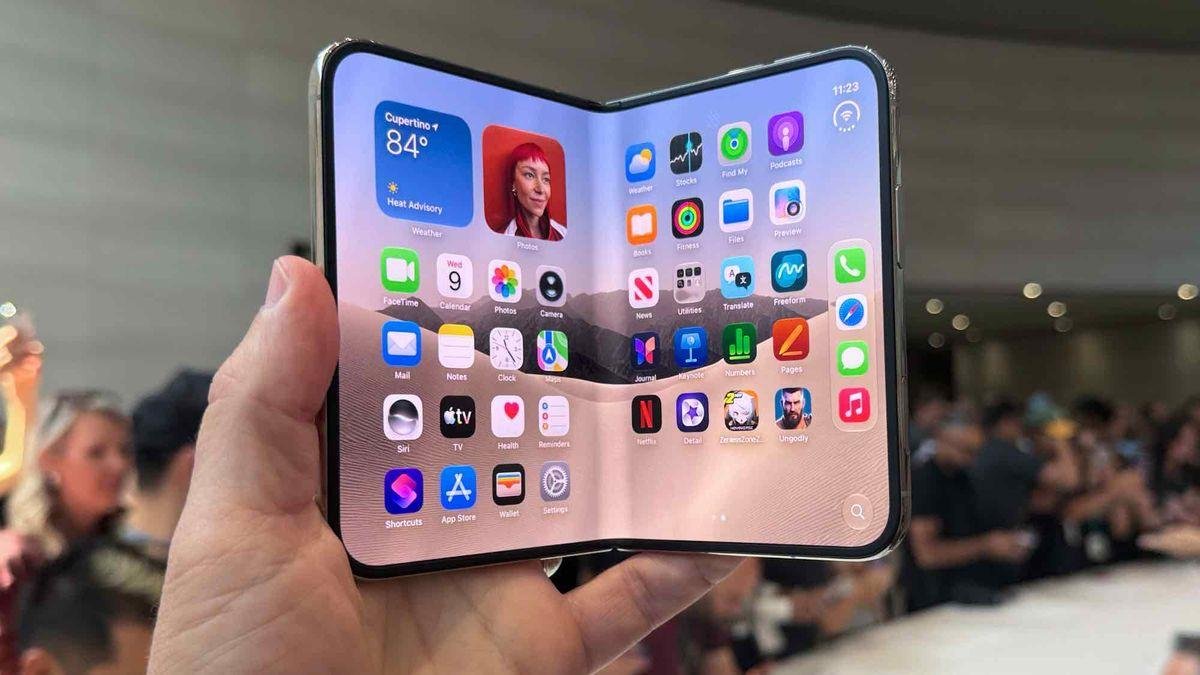
Apple has officially entered the foldable smartphone market with the iPhone Duo, arriving seven years after Samsung helped establish the category with its Galaxy Fold. Priced at $1,999, Apple’s first folding iPhone brings a new design, a larger inner display, and fresh ways to multitask—but it also introduces some compromises.
In a guide WIRED published on October 23, 2026, gear editor Julian Chokkattu highlights eight key things buyers should know before switching.

Apple has entered the foldable smartphone market with the iPhone Duo, arriving seven years after Samsung helped pioneer the category with its Galaxy Fold. Priced at $1,999, Apple’s first folding iPhone introduces a new design, a larger inner display and fresh ways to multitask.
Whether you already own one or are considering the investment, here are eight important things to know before making the switch.
1. Apps Aren’t Fully Optimised Yet

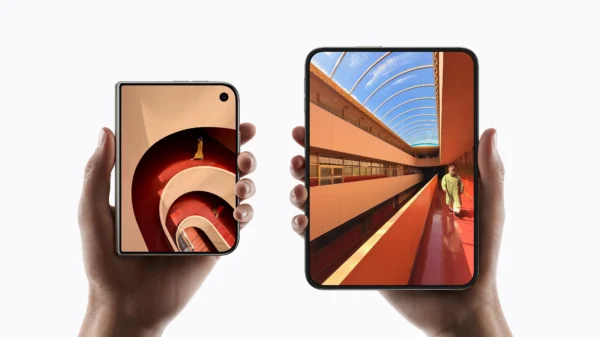
The iPhone Duo features a 5.4-inch outer screen and a 7.6-inch inner display. However, not every app has been adapted to work properly across both screen sizes.
Apple’s own applications have been redesigned for the device, but some third-party apps may display awkward black bars, misplaced controls or other interface issues. Although apps such as Slack, Instagram, DoorDash and WhatsApp have introduced optimisations, glitches may remain.
The experience should improve as developers continue updating their software.
2. Face ID Is Out, Touch ID Is Back

In a surprising change, the iPhone Duo replaces Face ID with Touch ID, using a fingerprint sensor on the phone’s right side.
The decision likely reflects the challenge of fitting facial-recognition hardware into the slim foldable design. Some users may welcome the return of fingerprint authentication, while others will miss unlocking their phones simply by looking at them.
Dynamic Island remains, but its position has changed to accommodate the new camera layout.
3. You May Need a New MagSafe Wallet

The iPhone Duo supports MagSafe accessories, including wireless chargers, magnetic grips and car mounts. However, its different dimensions create some compatibility challenges.
When the phone is unfolded and attached to certain docks or tripods, its uneven weight distribution may cause it to tilt. Magnetic wallets can also extend awkwardly beyond the phone’s lower edge.
Before buying the Duo, check whether your existing accessories will fit comfortably.
4. Use the Rear Cameras for Better Selfies

One major benefit of a foldable phone is the ability to use its rear cameras for selfies while viewing the image on the outer screen.
On the iPhone Duo, users can activate the camera interface on the outer display, giving them access to camera modes and Photographic Styles while using the higher-quality rear cameras.
Apple also offers Duo Preview, which lets the person being photographed see the camera’s framing, and Kids Cue, which uses Snoopy animations to help attract children’s attention.
5. Create App Pairs for Easier Multitasking

The 7.6-inch inner screen makes running two apps side by side especially useful. You could check emails during a video call, compare websites or consult a document while writing a message.
To activate split-screen mode, drag an app into position on either side of the display.
You can also link two apps by tapping the divider between them. The pair can then be accessed through the Recent Apps menu, making frequently repeated tasks easier.
6. Take Extra Care of the Inner Screen

With a $1,999 device, protecting the display is essential. A suitable folding-phone case can protect the exterior, and a screen protector may be appropriate for the outer display.
The inner screen requires greater care because its nano-texture finish is an integral part of the display. Apple advises against attempting to remove it, and third-party protectors could affect screen performance.
According to the original article, replacing a damaged nano-texture finish costs $19, or $49 if the phone is out of warranty. Repairing a cracked inner display could cost $999 without AppleCare+.
7. Split the Keyboard for Easier Typing

The Duo’s wide screen gives users more room to work, but reaching across the keyboard can be uncomfortable.
Apple’s split-keyboard option separates the keys to make typing easier on the larger display. A Reachability update was also expected later in 2026, designed to shift the app towards either side of the screen so users do not have to stretch as far.
These small adjustments could make a significant difference during everyday use.
8. Apple Pencil Support Is Coming

Apple plans to introduce support for the USB-C Apple Pencil through a software update, according to the source article. The feature is expected to enable handwriting, sketching and other creative tasks on the 7.6-inch inner display.
The screen’s nano-texture finish could also make writing feel more paper-like. One drawback is that the phone has no built-in storage for the stylus, so users may need a compatible carrying accessory.
Is the iPhone Duo Worth It?

Apple’s first foldable iPhone combines a compact outer display with a larger multitasking screen, flexible camera use and planned stylus support. However, the high price and early software and accessory limitations may make some buyers hesitant.
For people who want a larger workspace in a phone that folds for portability, the Duo could be appealing. Those who prioritise familiar iPhone features, seamless Face ID or lower repair costs may prefer to wait.
The bottom line: The iPhone Duo marks a major change for Apple, but its long-term success will depend on app optimisation, accessory compatibility and how well the folding display holds up over time.