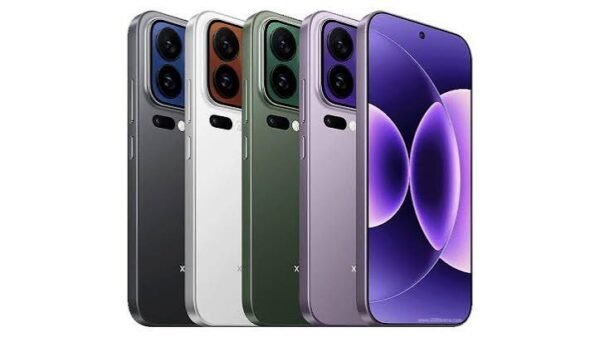























Buying a used or refurbished smartphone in Nigeria can save money, but it also comes with risks that go beyond visible scratches or damaged screens. From hidden hardware faults to account locks and software tampering, buyers need to carry out a few important checks before handing over their money.
The issue has become particularly relevant following the Nigerian Communications Commission’s (NCC) enforcement of stricter requirements for unapproved smartphones connected to local networks. The commission introduced a 30-day ultimatum for affected devices that fail to meet verification requirements, as part of efforts to ensure phones operating on Nigerian networks comply with regulatory standards.
However, the NCC has indicated that many existing users may not be affected. Approximately 231 million devices connected to Nigerian networks before October 7 were automatically verified. The greater concern is therefore with new or previously unused phones whose approval or verification status remains unresolved.
Even when a device meets the NCC’s requirements, buyers still need to consider its physical condition, repair history and security settings. Here are five checks to complete before purchasing a second-hand smartphone.
1. Inspect the phone’s physical condition
Start by examining the phone carefully. Look for dents, loose buttons, uneven gaps around the frame and damaged charging ports, as these could indicate previous damage or poorly executed repairs.
Test the display for discolouration, inconsistent brightness and touch-response problems. A replacement screen is not automatically a reason to reject a phone, but a low-quality or improperly fitted panel can affect performance. On some models, it may also interfere with biometric authentication.
2. Verify the IMEI and serial number

Every smartphone with cellular connectivity has an International Mobile Equipment Identity (IMEI), a unique number used to identify the device on mobile networks. Phones supporting dual SIM or physical SIM and eSIM configurations may have two IMEI numbers.
Dial *#06# to display the device’s IMEI numbers, then compare them with the information in the phone’s settings and, where available, on its original packaging. Any unexplained mismatch should be treated as a warning sign.
iPhone buyers can also check the device’s serial number and coverage details through Apple’s official coverage checker. Other manufacturers provide their own support channels for device verification.
Most importantly, buyers should use the NCC’s official Device Checker to confirm the phone’s regulatory status. The service can be accessed by dialling *315# or through the commission’s official Device Checker website.
An IMEI check helps establish a device’s identity and verification status, but it does not independently confirm that a phone is not stolen or has never undergone repairs.
3. Test the hardware and security features
A phone’s condition cannot be judged by its appearance alone. Test the fingerprint reader, face authentication, cameras, microphones, speakers and proximity sensor to make sure they work properly.
Pay particular attention to biometric features if the screen or front camera has been replaced. Some smartphones require approved replacement components and proper calibration before these functions operate correctly.
You should also test the charging port, battery health, Wi-Fi, Bluetooth, mobile data and SIM connectivity. Overheating, unreliable network reception or a weak battery could lead to expensive repairs after purchase.
4. Make sure previous-owner account locks are removed
Android phones use Factory Reset Protection (FRP) to prevent unauthorised access after a factory reset. If the previous owner’s Google account remains linked to the device, the new buyer may be unable to complete the setup process.
Ask the seller to remove their Google account, reset the phone and allow you to complete the initial setup yourself. Connect the device to Wi-Fi and confirm that it does not request the previous owner’s account details.
For iPhones, check that Activation Lock has been disabled. The seller should sign out of their Apple Account, erase the device and allow you to activate it using your own credentials.
If an iPhone displays an Activation Lock screen linked to someone else’s account, do not proceed until the original owner has removed it.
Avoid accepting assurances that these locks can be bypassed later. They may indicate that the device has not been properly released by its previous owner.
5. Check for software tampering
Before paying, confirm that the smartphone runs its expected operating system and can receive updates through its normal settings.
Look for unfamiliar administrator applications, suspicious permission requests, unexpected pop-ups and signs of unofficial firmware. On Android devices, check whether the phone is Play Protect certified through the Google Play Store settings.
Be cautious of devices that require unexplained software modifications or unofficial tools to operate normally.
Once all checks are complete and the seller has removed their accounts, perform a factory reset. Set up the phone using your own credentials, install available security updates and activate a strong screen lock.
Ultimately, confirming a phone’s IMEI is only one part of a secure purchase. The NCC Device Checker can help establish regulatory and verification status, but it does not guarantee that every component is genuine, that the device is free from spyware or that all previous-owner account locks have been removed.
Before making payment, inspect the hardware, verify every IMEI, test the security features and complete a fresh setup. If a seller refuses to allow these checks, walking away may be the safest way to protect your money, personal information and access to Nigerian mobile networks.